AI at Your Fingertips - One Hotkey Away
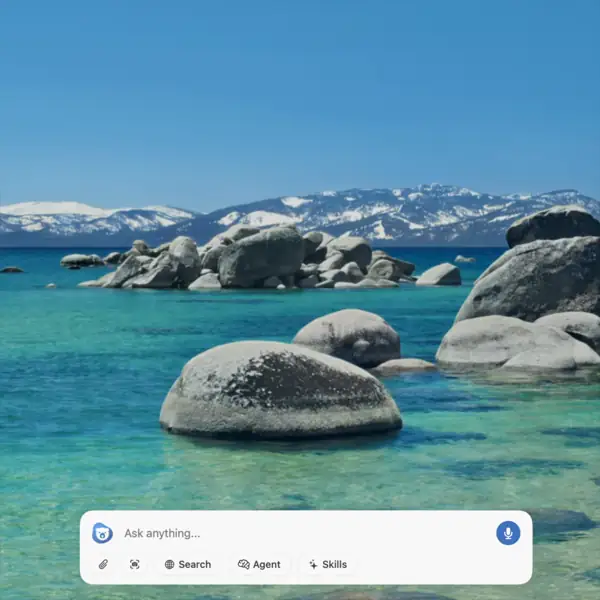
Press Cmd+Shift+Space and AI appears over your work. Dismiss it when you're done. Never leave what you're doing.
How It Works
Chapeta lives in your menu bar. One shortcut brings AI over your current app. Another dismisses it. Your flow stays intact.
Press your shortcut
The Chapeta panel slides in over your current window. No app switching, no browser tabs.
Use AI in context
Ask a question, run a tool, or start a conversation. All the best models and all 9 tools are available.
Dismiss and continue
Press Escape or your shortcut again. The panel disappears and you're right back where you were.
Four Ways to Access Chapeta
Keyboard Shortcut
Cmd+Shift+SpaceThe fastest way. Press once to open, press again to dismiss. Fully configurable.
Double-Tap Modifier
Option OptionDouble-tap a modifier key to toggle the panel. No chord needed - just tap twice.
Menu Bar Icon
ClickClick the Chapeta icon in your menu bar to open the panel. Always visible, always ready.
macOS Services
Right-clickSelect text in any app, right-click, and choose Ask Chapeta, Summarize, or Translate.
Panel That Fits Your Workflow
Four panel sizes let you balance screen space with conversation depth. Pick what works and change anytime.
Compact
Quick questions, minimal screen space. Stays out of your way.
Standard
The default. Good for conversations and most tasks.
Large
More room for code, long outputs, and complex interactions.
Extra Large
Maximum space for intensive workflows and long documents.
Works in Every App
Chapeta registers as a macOS Service. Select text in any app, right-click, and send it directly to Chapeta without opening the panel first.
Send selected text to Chapeta as a question.
Get a concise summary of the selected text.
Translate the selected text to another language.
Works in Safari, Mail, Notes, Xcode, VS Code, and every app that supports macOS Services.