You Stay in Control
Chapeta gives AI real power on your Mac: terminal commands, file access, web research, and screenshots. Here is how every guardrail works.
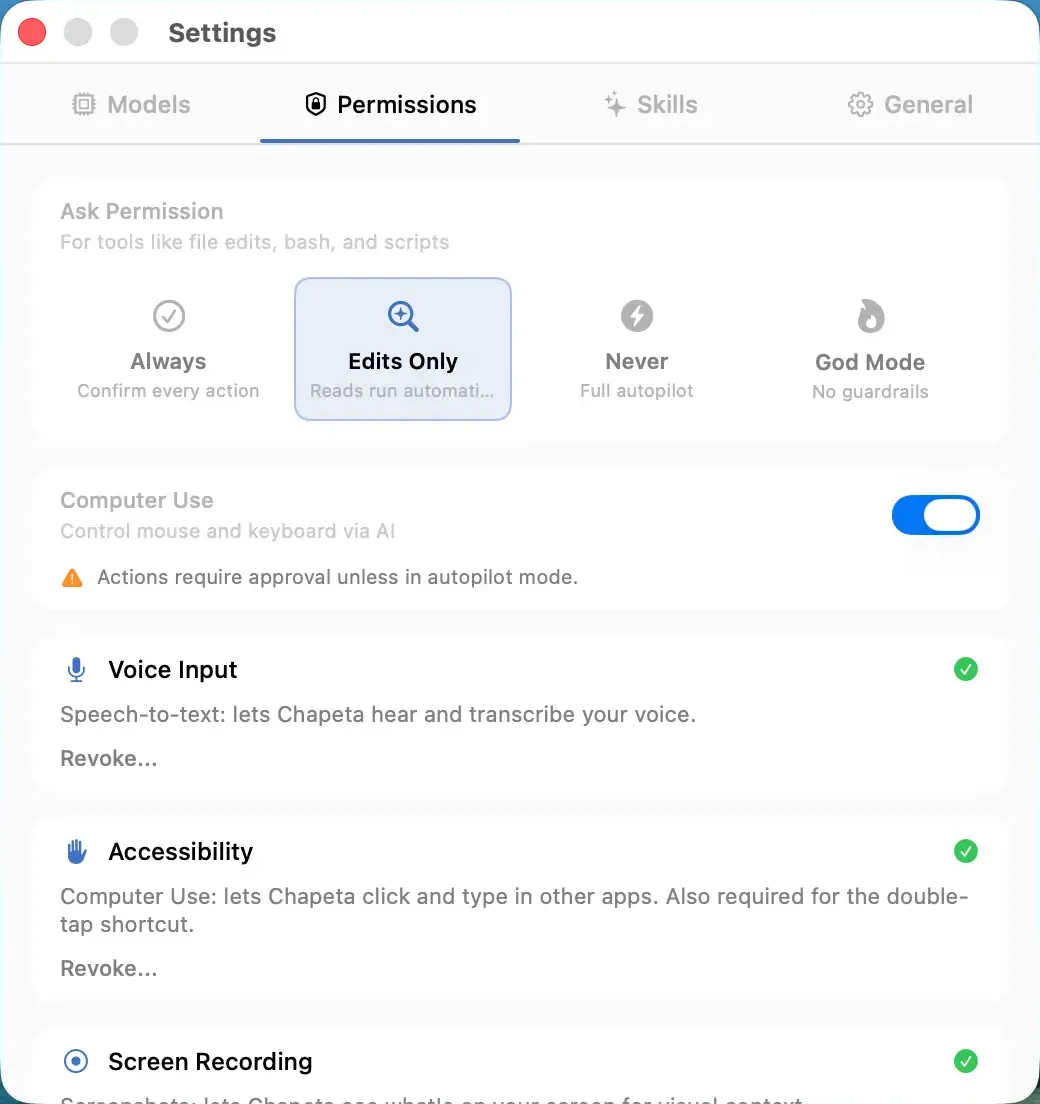
Approval Modes
Choose how much autonomy the AI gets. Each mode trades control for speed. You can switch modes at any time.
Supervised Mode
Approve every tool action before it executes. Full control, zero surprises. The default mode for new users.
Learn more →Balanced Mode
Safe actions auto-approve. Dangerous actions require confirmation. The sweet spot for daily use.
Learn more →Autopilot Mode
Full automatic execution. The AI runs tools without asking. Maximum speed, for trusted workflows only.
Learn more →God Mode
All guardrails disabled. No approval prompts, no blocklists, no path restrictions. Only always-blocked patterns remain.
Learn more →Guardrails
Hard limits that apply regardless of approval mode. Even in Autopilot, these protections are always active. God Mode can bypass standard blocklists, but always-blocked patterns and tool limits remain enforced.
Blocked Commands
19 blocked Bash patterns. Hard-coded protection against destructive operations.
Learn more →Tool Limits
Configurable iteration cap (default 40) prevents runaway tool loops and accidental API cost spikes.
Learn more →Path Restrictions
File write restrictions prevent the AI from modifying system files, app bundles, and sensitive directories.
Learn more →Defense in Depth
No single layer protects you. Chapeta stacks multiple independent safety mechanisms so a failure in one layer does not compromise the system.
User-selected control level that gates tool execution.
Hard-coded patterns that reject dangerous commands before execution.
File system boundaries that prevent writes to sensitive locations.
Configurable iteration cap that prevents runaway loops and cost spikes.