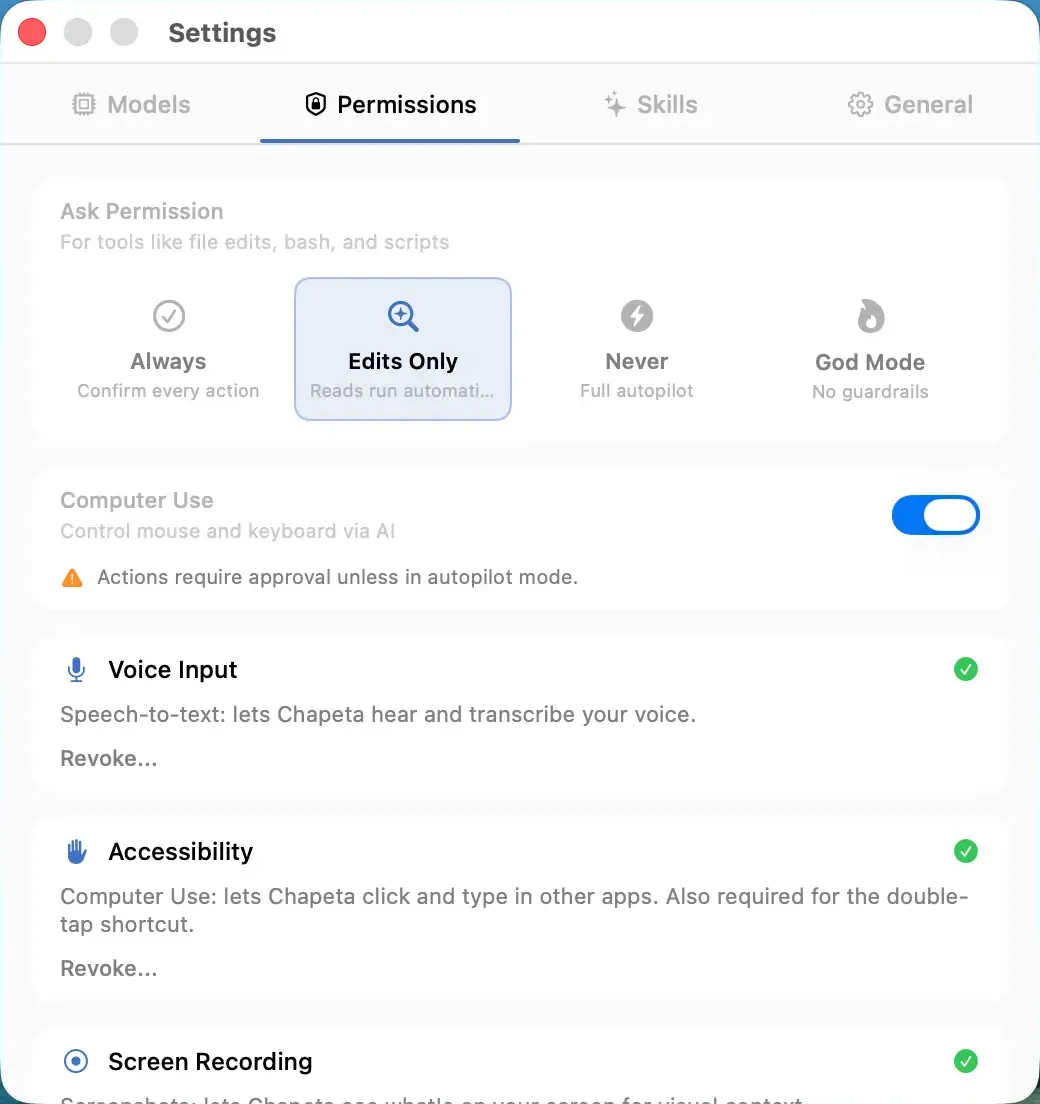
Autopilot mode removes all approval prompts. The AI executes every tool action immediately, including terminal commands, file writes, and web lookups. This mode is designed for trusted, well-defined workflows where speed matters more than per-action review. The blocklist and tool iteration limits still apply.
How It Works
- The AI determines it needs to use a tool.
- The tool executes immediately with no approval prompt.
- All blocked command patterns are still enforced.
- The tool iteration limit (default 40) is still enforced.
- You see a real-time log of all executed actions in the conversation.
Benefits
- Maximum speed for automated workflows.
- No interruptions during multi-step tasks.
- Ideal for trusted, repetitive operations like code scaffolding or batch file processing.
- Blocked commands and tool iteration limits still protect you from catastrophic errors.
Tradeoffs
- Commands execute without your review. You must trust the AI and the guardrails.
- Mistakes happen faster because there is no human checkpoint.
- Not recommended for sensitive systems or irreversible operations.
- You should understand what the AI is doing before enabling this mode.
FAQ
More Safety Features
Supervised Mode
Approve every tool action before it runs. Zero surprises.
Balanced Mode
Safe actions auto-approve. Dangerous actions require confirmation.
God Mode
All guardrails disabled. Full autonomy. You accept full responsibility.