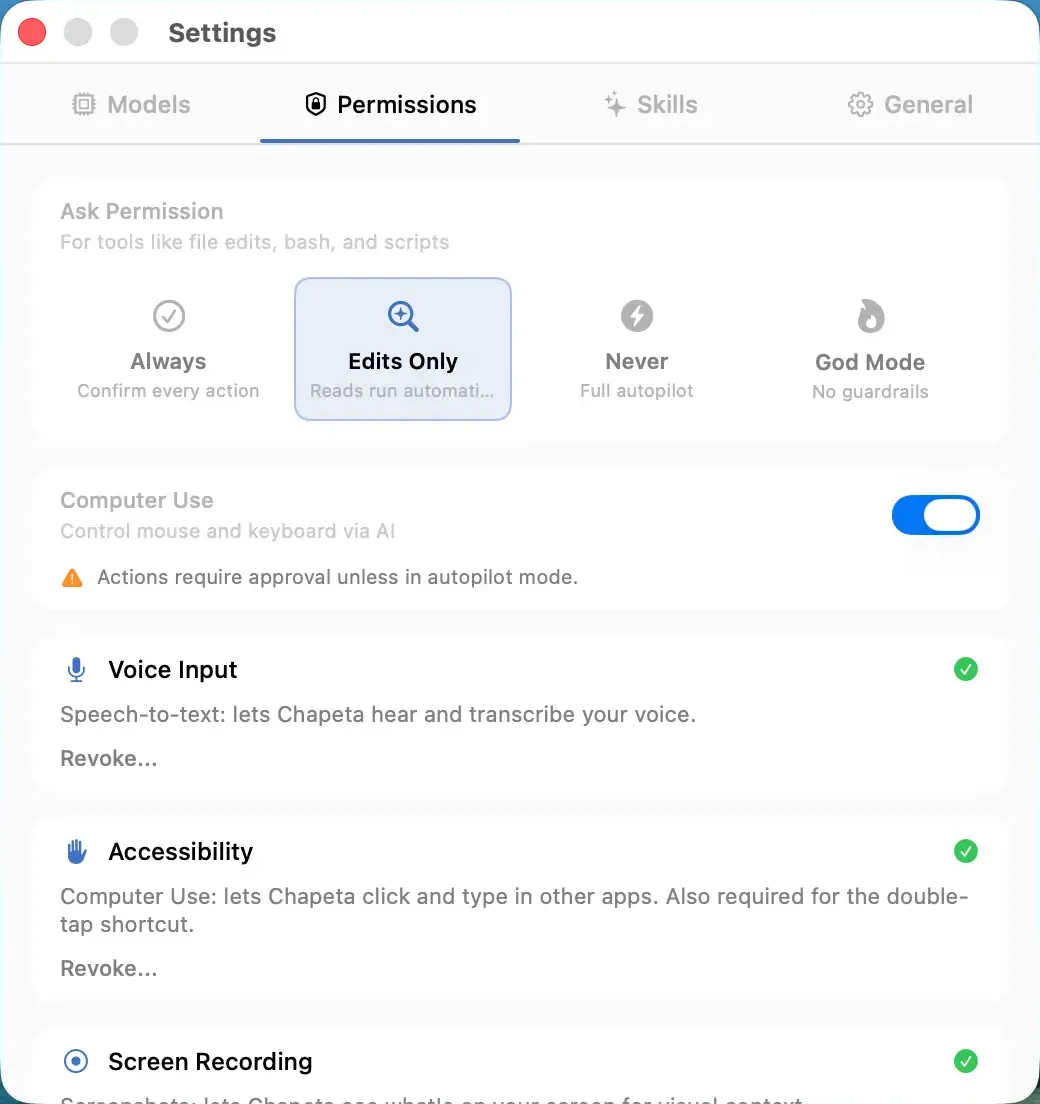
Supervised mode is the default approval mode in Chapeta. Every time the AI wants to execute a tool, whether that is running a terminal command, writing a file, or searching the web, it pauses and shows you exactly what it intends to do. You approve or reject each action individually.
How It Works
- The AI determines it needs to use a tool (e.g., run a Bash command).
- Chapeta displays the exact command or action in an approval prompt.
- You review the action and click Approve or Reject.
- If approved, the tool executes and the AI receives the output.
- If rejected, the AI receives a rejection notice and adjusts its approach.
Benefits
- Complete visibility into every action the AI takes on your system.
- No command runs without your explicit approval.
- Ideal for learning what the AI can do and how it operates.
- Required for sensitive environments where auditability matters.
Tradeoffs
- Slower workflow due to constant approval prompts.
- Can become tedious for routine, repetitive tasks.
- Not suitable for long-running automated workflows.
FAQ
More Safety Features
Balanced Mode
Safe actions auto-approve. Dangerous actions require confirmation.
Autopilot Mode
Full automatic execution. No approval prompts. Maximum speed.
God Mode
All guardrails disabled. Full autonomy. You accept full responsibility.